Symmetry Assistant
The Symmetry Assistant helps you define and discover symmetrical patterns for facet indexing. It provides two primary modes of operation: Forward and Reverse.
- Forward Mode lets you specify symmetry parameters (symmetry count, index, and whether it's mirrored) and see the full list of resulting facet indices. This is useful when you know the symmetry you want and need to visualize the result.
- Reverse Mode is the powerful one. Type a few indices from a sequence, and the assistant will deduce the underlying symmetry parameters, complete the sequence for you, and even suggest alternative interpretations. It's like autocomplete for geometry.
Accessing the Assistant
The Symmetry Assistant can be opened from the user interface:
From the Interactive Slicer: A small "?" button appears next to the "Mirrored" checkbox in the main symmetry controls. Clicking this will open the assistant, pre-filled with the current settings from the widget.
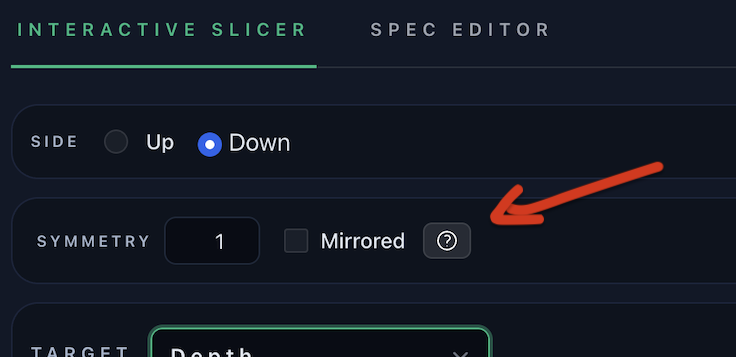
When opened, the assistant syncs with the slicer's current gear count.
Core Concepts
Before diving into the modes, let's define some key terms:
- Gear: The total number of available index positions on the gear (e.g., 96 for a standard faceting machine).
- Symmetry: The number of times a pattern repeats around the gear. The
gearcount must be perfectly divisible by thesymmetrynumber. - Index: The base or starting index from which a symmetrical pattern is generated.
- Mirrored: If enabled, the pattern is reflected across the 0-axis. For every generated index
p, its negative counterpart-p(modulo the gear size) is also included. - Step: The distance between each symmetrical index. It is calculated as
Gear / Symmetry. - Base Offset: The effective starting index of the pattern, calculated as
Index % Step. - Indices: The final, sorted list of unique index positions generated from the symmetry parameters.
Forward Mode
Forward mode is for expanding a known symmetry into a full set of indices.
How to Use
- Open the Assistant: It will default to Forward mode.
- Enter Parameters:
- Index: Set the base index for the calculation.
- Symmetry: Set the desired symmetry count. This must be a divisor of the current gear count.
- Mirrored: Check this box to create a mirrored pattern.
- Review the Output:
- The assistant immediately calculates and displays the full list of
Indices. - Below the inputs, metadata is shown, including the calculated
step,symmetry,mirroredstatus, andbase offset. - If there's an error (e.g., "Symmetry must divide the gear"), a message will appear.
- The assistant immediately calculates and displays the full list of
- Apply the Symmetry:
- Click "Send to slicer" to apply the generated symmetry to the main application. The assistant will close, and the slicer's symmetry settings will be updated.
Example
With a gear of 96:
Index: 2Symmetry: 8Mirrored: false
The assistant calculates a step of 96 / 8 = 12. It generates the indices: 2, 14, 26, 38, 50, 62, 74, 86.
Reverse Mode
Reverse mode is for discovering symmetry parameters from a partial sequence of indices. It's like asking the assistant, "What symmetry creates a pattern that starts like this?"
How to Use
- Switch to Reverse Mode: Click the "Reverse" tab at the top.
- Enter a Prefix:
- In the "Indices prefix" field, start typing the first few indices of your desired pattern, separated by commas or spaces (e.g.,
2, 10). The indices must be in ascending order.
- In the "Indices prefix" field, start typing the first few indices of your desired pattern, separated by commas or spaces (e.g.,
- Review the Prediction:
- As you type, the assistant analyzes the prefix and finds the best-fitting symmetry parameters.
- Ghost Text: The input field shows a "ghost" completion of the full sequence based on the best prediction.
- Completion: The "Completion" box displays the full list of indices. The numbers you typed are locked, while the predicted numbers are clickable, allowing you to add them to your prefix.
- Next Number Chips: Below the input, clickable "chips" suggest the most likely next numbers to add to your sequence.
- Metadata: The predicted
step,symmetry,mirroredstatus, andbase offsetare displayed.
- Explore Alternatives:
- If your prefix can be interpreted in multiple ways, a section titled "Other interpretations" will appear.
- You can expand this section to see alternative symmetry solutions that also match your prefix. Clicking on an alternative's index list will preview it as the main solution.
- Apply the Symmetry:
- Once you are satisfied with a predicted sequence, click "Send to slicer". This applies the selected symmetry parameters to the main application.
Example
With a gear of 96, you type 2, 10 into the prefix field.
-
The assistant immediately predicts a mirrored symmetry of 8.
- Parameters:
step=12,symmetry=8,mirrored=true,base=2. - Completion: It shows the full sequence:
2, 10, 14, 22, 26, 34, 38, 46, 50, 58, 62, 70, 74, 82, 86, 94. - Ghost Text: Your input of
2, 10is followed by the ghost text, 14, 22, .... - Next Chips: It might suggest
14as the next logical number.
- Parameters:
-
At the same time, it might find an alternative: a non-mirrored symmetry of 12.
- Parameters:
step=8,symmetry=12,mirrored=false,base=2. - Completion:
2, 10, 18, 26, 34, 42, 50, 58, 66, 74, 82, 90. - This will be listed under "Other interpretations."
- Parameters: